Sample · before and after
A town council agenda, fixed.
This is the kind of PDF cities post every week. We built a realistic agenda for a fictional town, then fixed it the way we fix client files. Download both, open them in your own screen reader, or press play to hear the difference.
The Town of Juniper Falls is fictional. This sample was created by Clearfile Access on November 9, 2026, and the fixed version was updated November 12, 2026.
Before
How it was posted
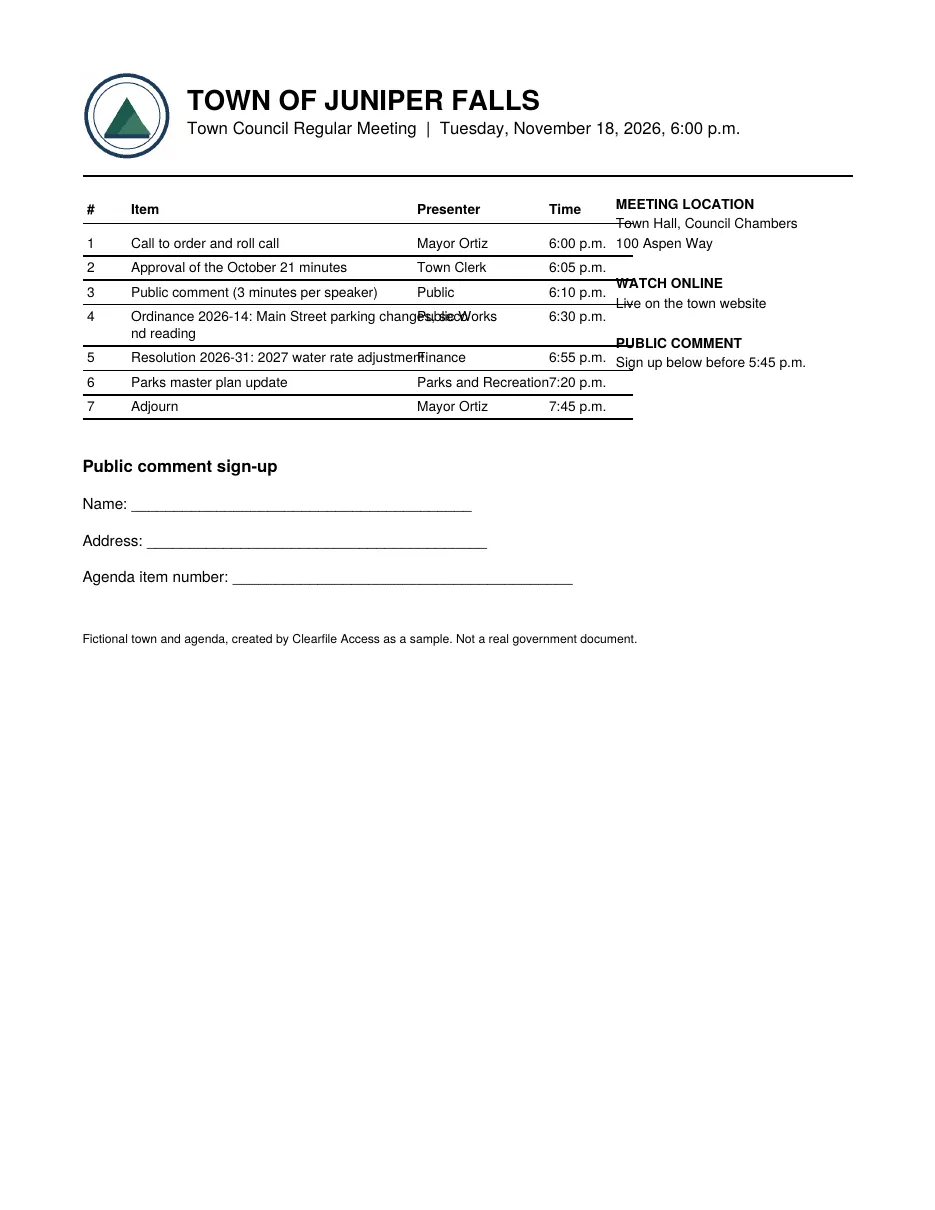
Download the original PDF (6 KB)
What a screen reader gets
MEETING LOCATION
Town Hall, Council Chambers
100 Aspen Way
WATCH ONLINE
Live on the town website
PUBLIC COMMENT
Sign up below before 5:45 p.m.
TOWN OF JUNIPER FALLS
Town Council Regular Meeting | Tuesday, November 18, 2026, 6:00 p.m.
# Item Presenter Time
1 Call to order and roll call Mayor Ortiz 6:00 p.m.
2 Approval of the October 21 minutes Town Clerk 6:05 p.m.
3 Public comment (3 minutes per speaker) Public 6:10 p.m.
4 Ordinance 2026-14: Main Street parking changes, seco
Public Works 6:30 p.m.
nd reading
5 Resolution 2026-31: 2027 water rate adjustment
Finance 6:55 p.m.
6 Parks master plan update Parks and Recreation7:20 p.m.
7 Adjourn Mayor Ortiz 7:45 p.m.
Public comment sign-up
Name: ________________________________________
Address: ________________________________________
Agenda item number: ________________________________________
Fictional town and agenda, created by Clearfile Access as a sample. Not a real government document.
- The sidebar is read before the town name and meeting date.
- No headings, so there's no way to jump to the agenda.
- Agenda text runs together; one item is split mid-word ("seco… nd reading").
- The seal is an image with no description.
- The sign-up "fields" are just lines, so nobody can tell what to do with them.
- No title or language, so the file is announced by its file name and may be mispronounced.
After
Fixed by Clearfile
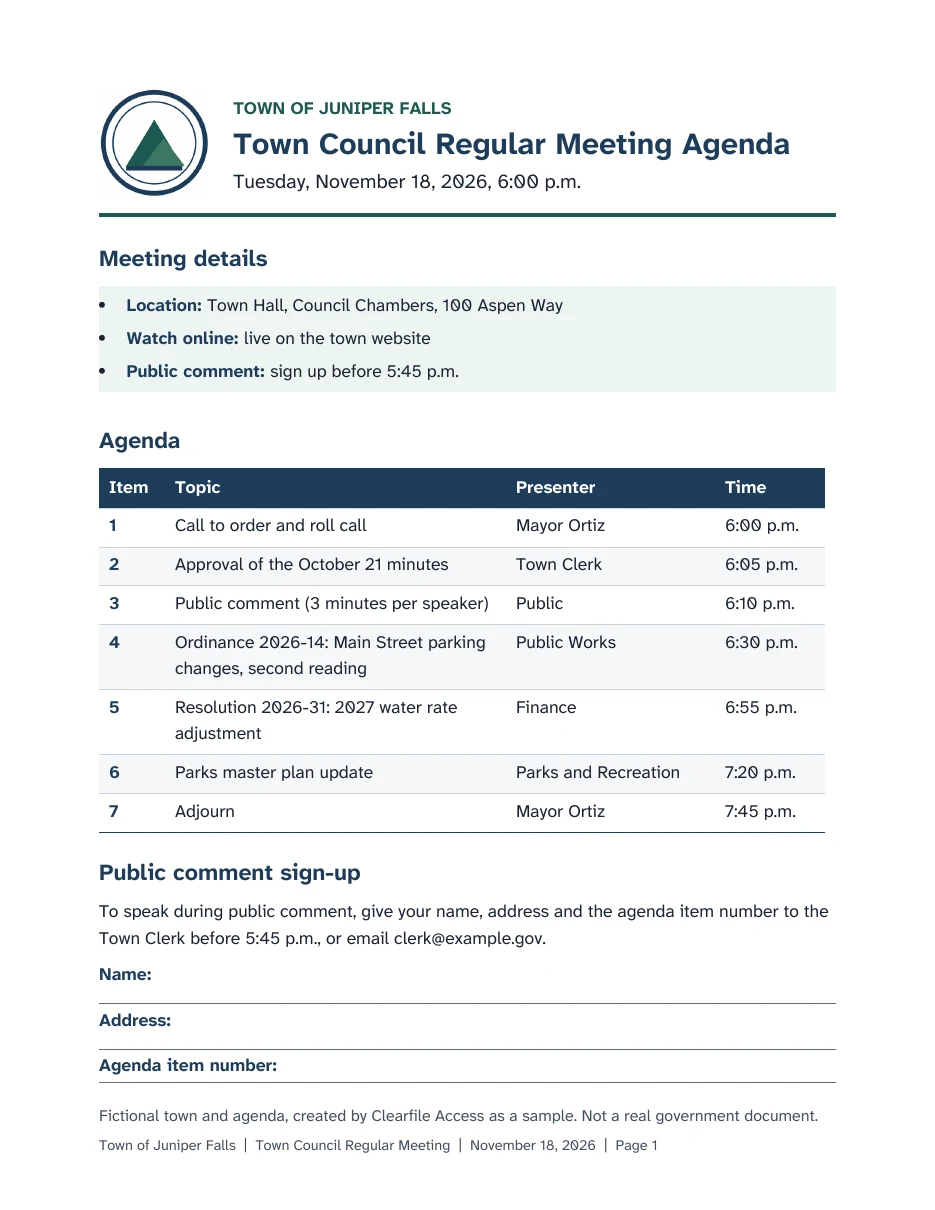
Download the fixed PDF (73 KB)
What a screen reader gets
Graphic: Town of Juniper Falls seal, a mountain peak inside a double ring.
Town of Juniper Falls.
Heading level 1: Town Council Regular Meeting Agenda.
Tuesday, November 18, 2026, 6:00 p.m.
Heading level 2: Meeting details.
List with 3 items. Location: Town Hall, Council Chambers, 100 Aspen Way. Watch online: live on the town website. Public comment: sign up before 5:45 p.m.
Heading level 2: Agenda.
Table with 4 columns and 8 rows. Column headers: Item, Topic, Presenter, Time.
Row 1. Item 1. Topic: Call to order and roll call. Presenter: Mayor Ortiz. Time: 6:00 p.m.
Row 4. Item 4. Topic: Ordinance 2026-14, Main Street parking changes, second reading. Presenter: Public Works. Time: 6:30 p.m.
Heading level 2: Public comment sign-up.
To speak during public comment, give your name, address and the agenda item number to the Town Clerk before 5:45 p.m., or email clerk@example.gov.
Name: edit text, Your name.
Address: edit text, Your address.
Agenda item number: edit text, Agenda item number you want to speak on.
- Reads in the right order: title, details, agenda, sign-up.
- Real headings, so people can jump straight to the agenda.
- The agenda is a real table: every cell is announced with its column header.
- The seal is described in one short line.
- Sign-up instructions say what to do, in words, and the three fields can be filled in on screen.
- Clear layout for sighted readers too: strong contrast, a typeface made for legibility, and one line per agenda item where it fits.
- Title and language are set, and the file carries the PDF/UA identifier.
"What a screen reader gets" shows the actual text order extracted from each file. The fixed version is written the way a screen reader announces structure; exact wording varies by screen reader. Play uses your browser's built-in voice.
The check report
Every file we deliver comes with a report like this one.
| Check | Before | After |
|---|---|---|
| Tagged PDF (the hidden structure assistive tech reads) | No | Yes, 102 tags |
| Document title shown in the title bar | None | "Town of Juniper Falls Town Council Regular Meeting Agenda, November 18, 2026" |
| Language set for correct pronunciation | None | English (en-US) |
| Headings to navigate by | None | 1 level-1, 3 level-2 |
| Reading order | Sidebar before title; words split mid-line | Seal, title, details, agenda, sign-up |
| Image description | Seal has no text alternative | Seal described |
| Table header cells | None | 4 header cells over 28 data cells |
| Bulleted list tagged as a list | No | Yes |
| Fill-in form fields with labels | None; printed lines only | 3 fields, each with a label and description |
| Fonts embedded in the file | No | Yes; Atkinson Hyperlegible, a typeface made for low-vision readers |
| PDF/UA identifier in the file | No | Yes (PDF/UA-1) |
Results from an automated structure check run on both files on November 12, 2026. Client files also get a manual review of reading order, alt text and tables before delivery.
Want to see your own file fixed?
Pick any document. We fix up to 10 pages free and send them back in 3 business days, with the report.
Then $6 a standard page, $14 a complex page. No contract.